01
Keep your hands on the keyboard.
Play, pause, and skip tracks from Command Palette. Your next track is just a command away.
 Media Controls
FOR POWERTOYS COMMAND PALETTE
Your media. At your command.
The next track. A little less volume. That video in another tab. Keep it all within reach, and stay in your flow.
Free & open source Made for Windows
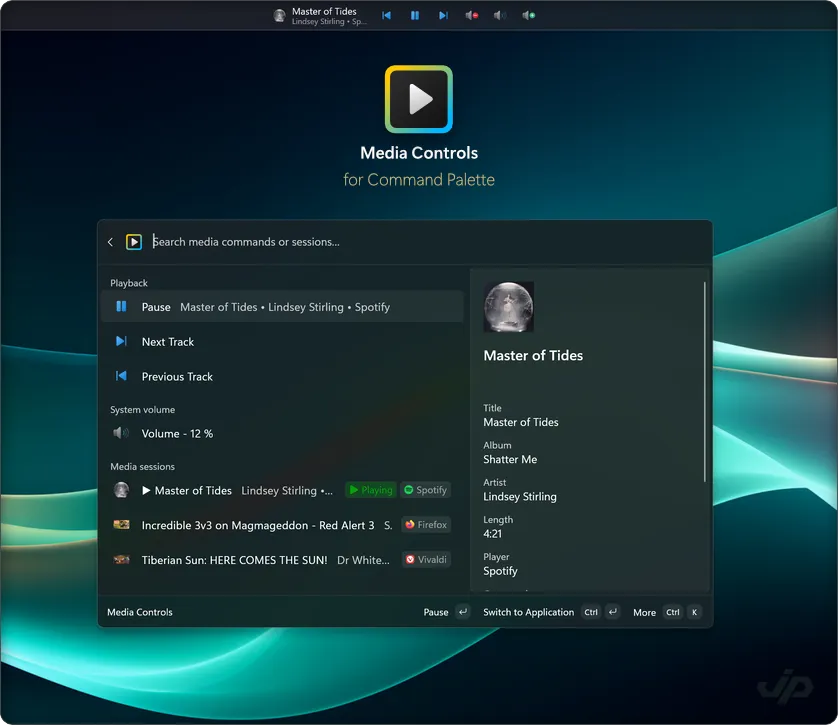
LESS REACHING. MORE LISTENING.
Your media controls belong where you're already working.
Play, pause, and skip tracks from Command Palette. Your next track is just a command away.
See what's playing across desktop apps and browser tabs. Choose the player you want to control.
Keep the current track, playback buttons, and system volume within reach while you work.
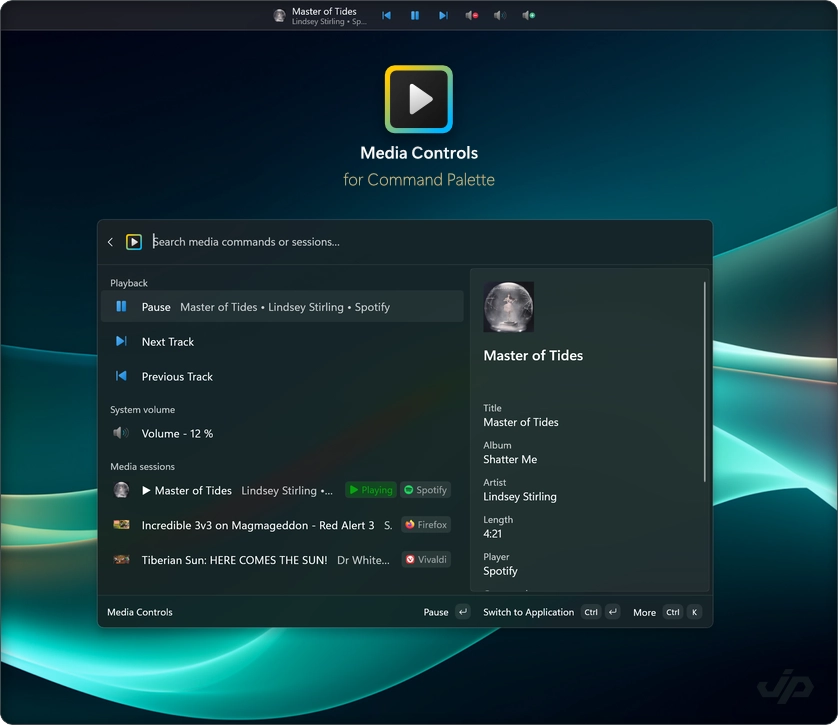
Spotify / Apple Music / YouTube / VLC / iTunes / and more
Player support and available controls vary.See supported playersMEET THE BROWSER COMPANIONS
Find the tab that's playing. Control it from the popup, or bring it into Command Palette alongside your desktop players.
Explore the companionsStore listings are on the way. Preview setup is available for Chrome, Edge, and Firefox.
MAKE YOURSELF AT HOME
Install Media Controls, open Command Palette,
and let your media fit around you.
A FEW USEFUL THINGS
A Windows PC with Microsoft PowerToys and Command Palette enabled. Install Media Controls, open Command Palette, and search for Media Controls.
Apps and browser tabs that support Windows media controls, including Spotify, Apple Music, Media Player, and many websites. Optional integrations support desktop iTunes and local or remote VLC 3. Available controls and metadata depend on the player.See supported players
Many sites already work through Windows media controls. The optional companions give you individual media tabs, direct tab activation, and controls in the browser popup. They are currently available as a developer preview.
Yes. Media Controls is free and open source under the Apache 2.0 license. You can explore the source, report an issue, or contribute on GitHub.
AN INDEPENDENT LITTLE PROJECT
Made with care by Jiří Polášek.
For people who like their tools to get out of the way.